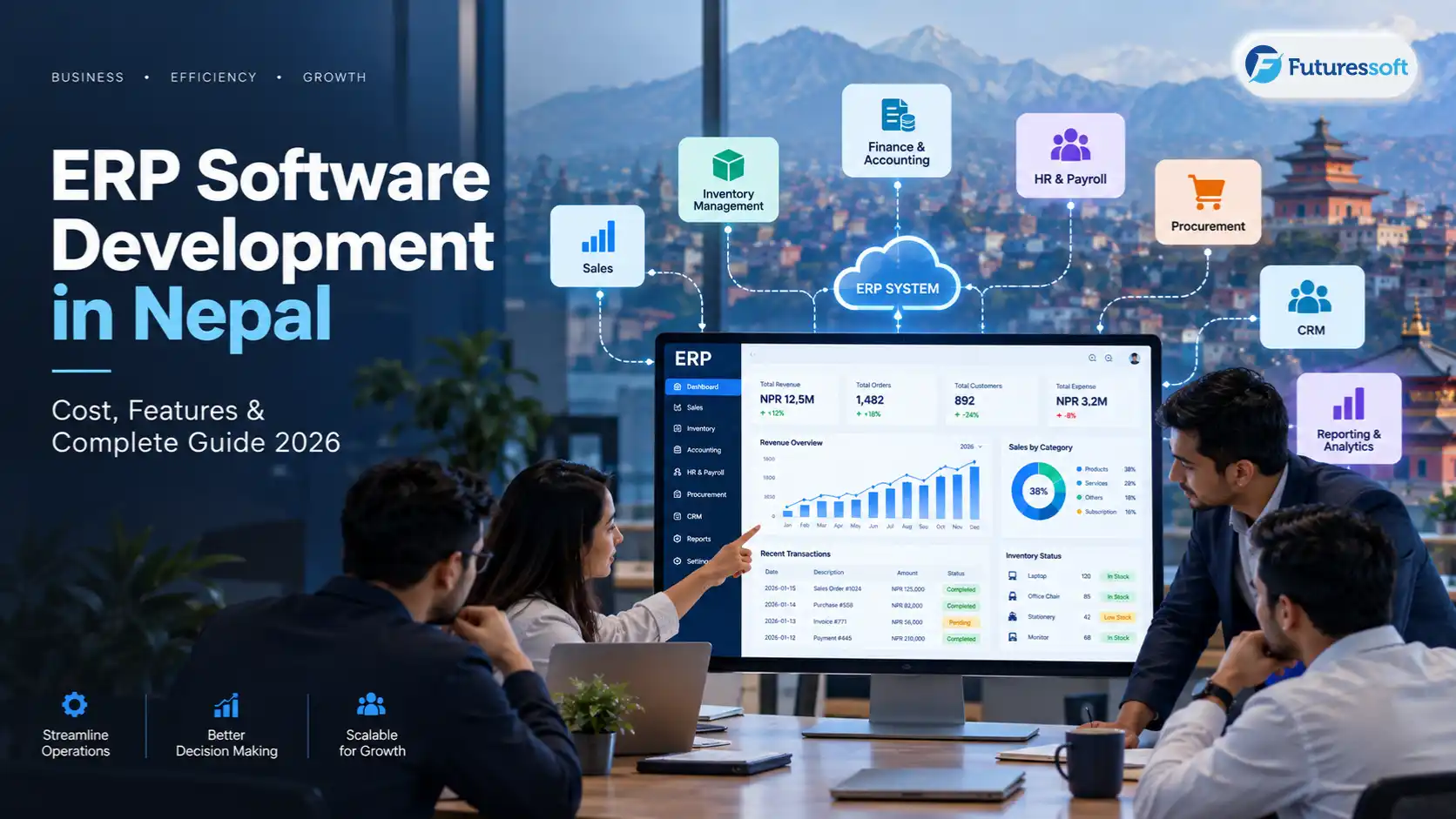
ERP Software Development in Nepal 2026
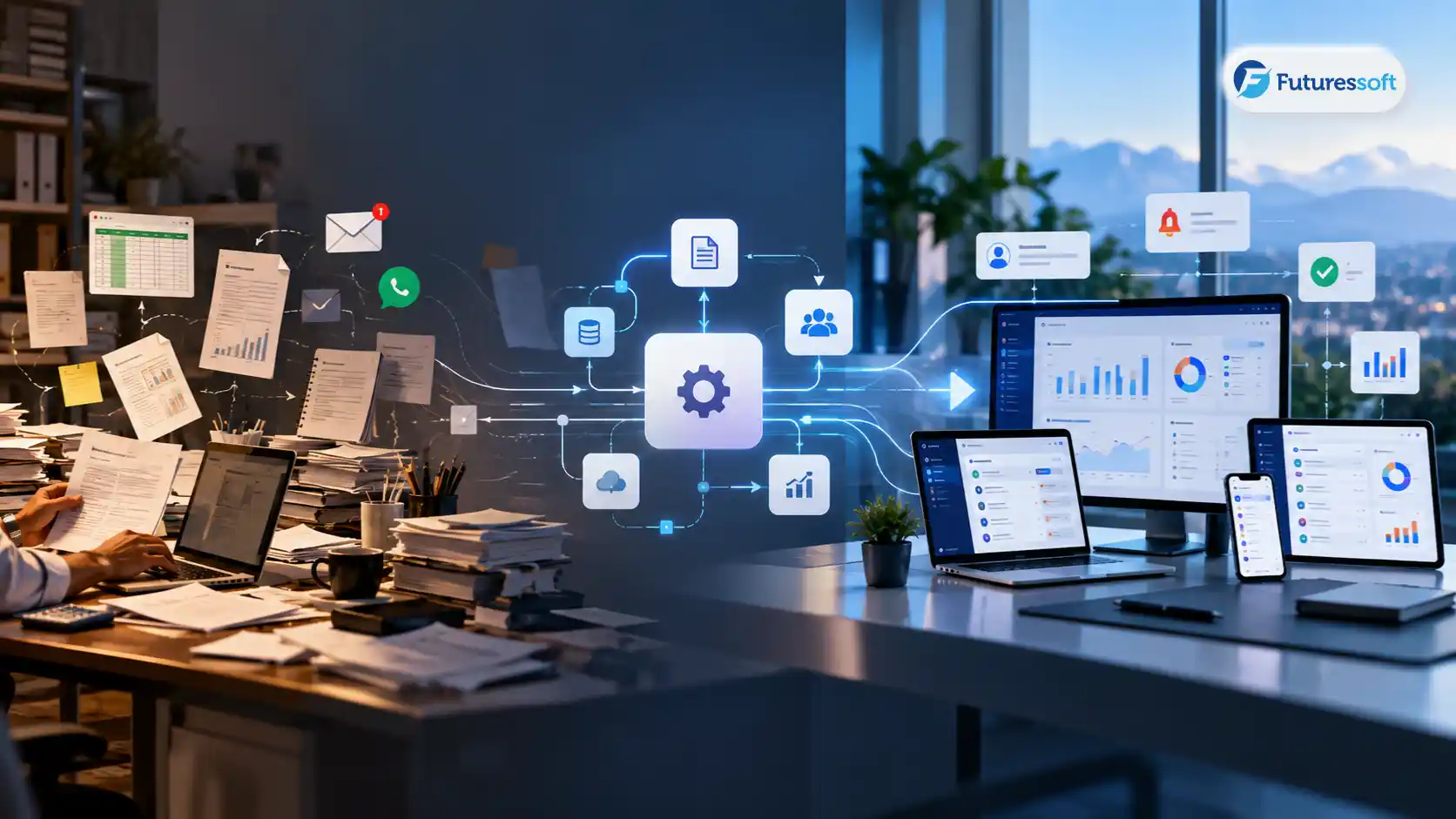
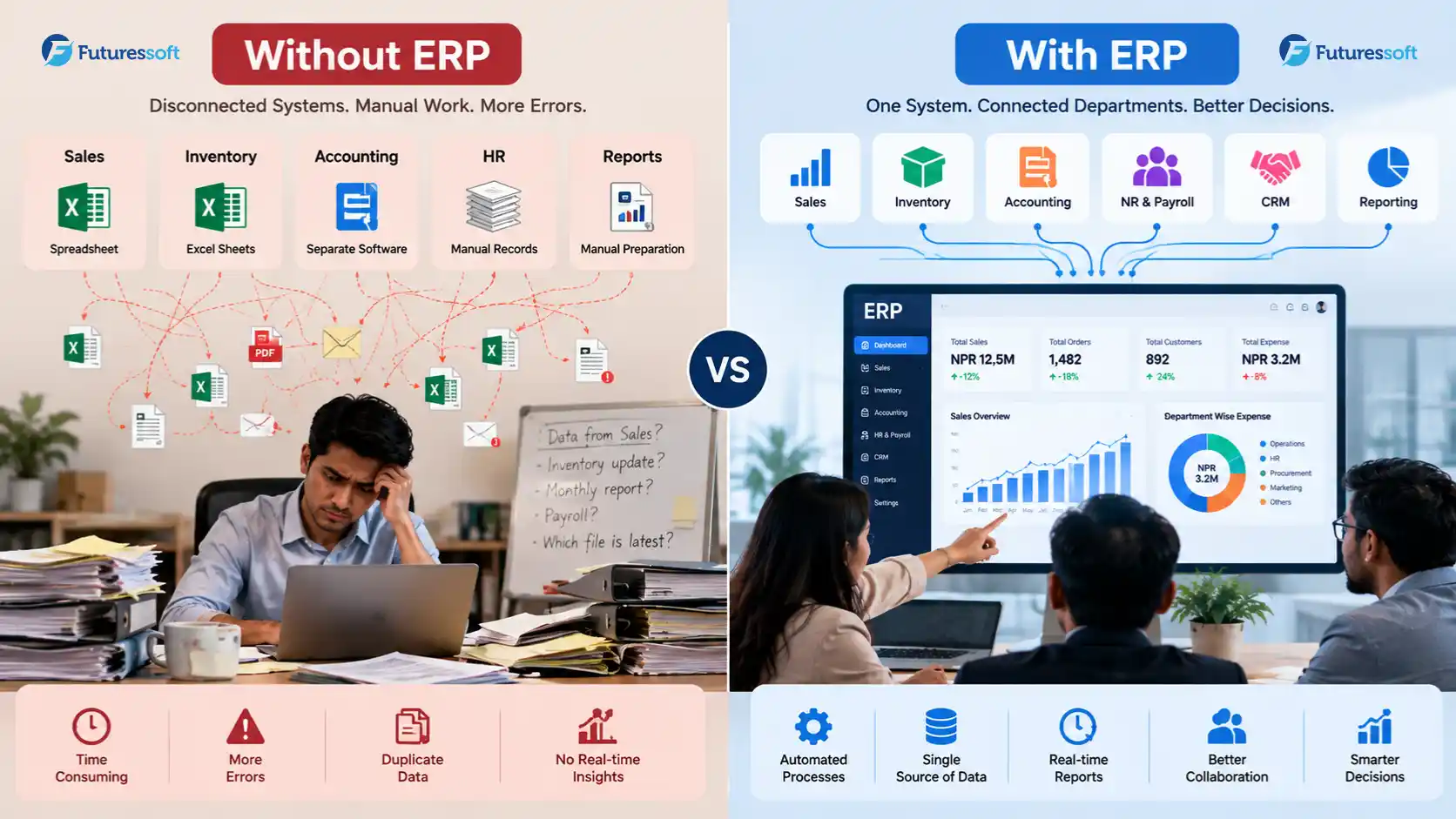
A growing business can end up running on five different systems at once: accounting software for finance, spreadsheets for inventory, messaging apps for approvals, another tool for HR, and manually prepared reports for management. Nobody planned it this way; it just happened, one department at a time, until Monday-morning reporting means three people cross-checking numbers that don't quite match.
ERP (Enterprise Resource Planning) software brings those separate workflows into one connected system, so sales, inventory, accounting, HR, and reporting all pull from the same data.
This guide covers what ERP software actually is, which businesses in Nepal tend to need it, what modules it should include, how custom ERP compares to ready-made ERP, what it costs, how implementation works, what makes ERP different for a Nepali business specifically, and how to choose a development partner. If you're trying to decide whether ERP is the right move or you're already sure and want to understand the process, this is the place to start.
What Is ERP Software?
ERP software is a system that connects the core functions of a business sales, inventory, purchasing, accounting, HR, and reporting so they share one set of data instead of each department keeping its own.
In practice, that means:
-
Centralized data one customer record, one stock count, one set of financial numbers, instead of five versions across five tools
-
Connected departments a sale in the sales module automatically updates inventory and triggers an invoice in accounting
-
Workflows and approvals purchase requests, expense claims, and discounts route through defined approval steps instead of email threads
-
Role-based access staff see only what's relevant to their role; management sees everything
-
Reporting and automation dashboards pull live numbers instead of someone compiling a spreadsheet every Friday
That's the short version. The rest of this guide is about what that looks like in practice, and what it takes to get there.
How ERP Software Works for a Business
A simple way to picture it is a single flow that most operational businesses run through in some form:
Sales → Inventory → Purchase → Accounting → HR → Reporting
A sale is recorded once. That same entry reduces stock in inventory, and if stock drops below a threshold, it can trigger a purchase request. Once the sale is invoiced, accounting reflects it automatically, no re-typing the same numbers into a separate ledger. Payroll, attendance, and staff records sit in their own module but still feed into the same reporting layer, so a manager can see revenue, stock levels, and staffing cost on one dashboard instead of stitching together three exports.
The value isn't the individual modules most businesses already have some software for accounting or inventory. The value is that shared data eliminates duplicate entry and the reconciliation errors that come with it.
What Businesses in Nepal Need ERP Software?
Not every business needs ERP, and it's worth being honest about that. ERP tends to become genuinely useful once a business hits a certain level of operational complexity: multiple people touching the same data, multiple locations, or processes that have outgrown spreadsheets. Here's where that shows up most often:
Trading and distribution
Multiple suppliers, multiple customers, and stock that moves constantly. Manual stock tracking becomes a liability once order volume grows past what one person can track in a spreadsheet.
Manufacturing
Raw materials, work-in-progress, finished goods, and production planning all need to connect to purchasing and sales otherwise production runs blind to real stock levels.
Retail
Multiple sales channels (in-store, online, wholesale) need a single, accurate view of inventory to avoid overselling or stockouts.
Service businesses
Less about physical stock, more about project tracking, staff time, invoicing, and recurring client billing across many active engagements.
Multi-branch companies
Each branch generates its own sales, stock movements, and expenses. Without a shared system, the head office is always working from data that's a few days stale.
Schools and institutions
Student records, fee collection, attendance, and staff payroll each need their own logic, but management still needs one combined view.
Hospitality and travel
Bookings, availability, billing, and vendor payments move fast and touch multiple departments at once.
None of this means every business in these categories needs a full ERP system immediately. It means these are the categories where the symptoms of duplicate data entry, slow reporting, disconnected departments tend to show up first.
What Modules Should an ERP System Include?
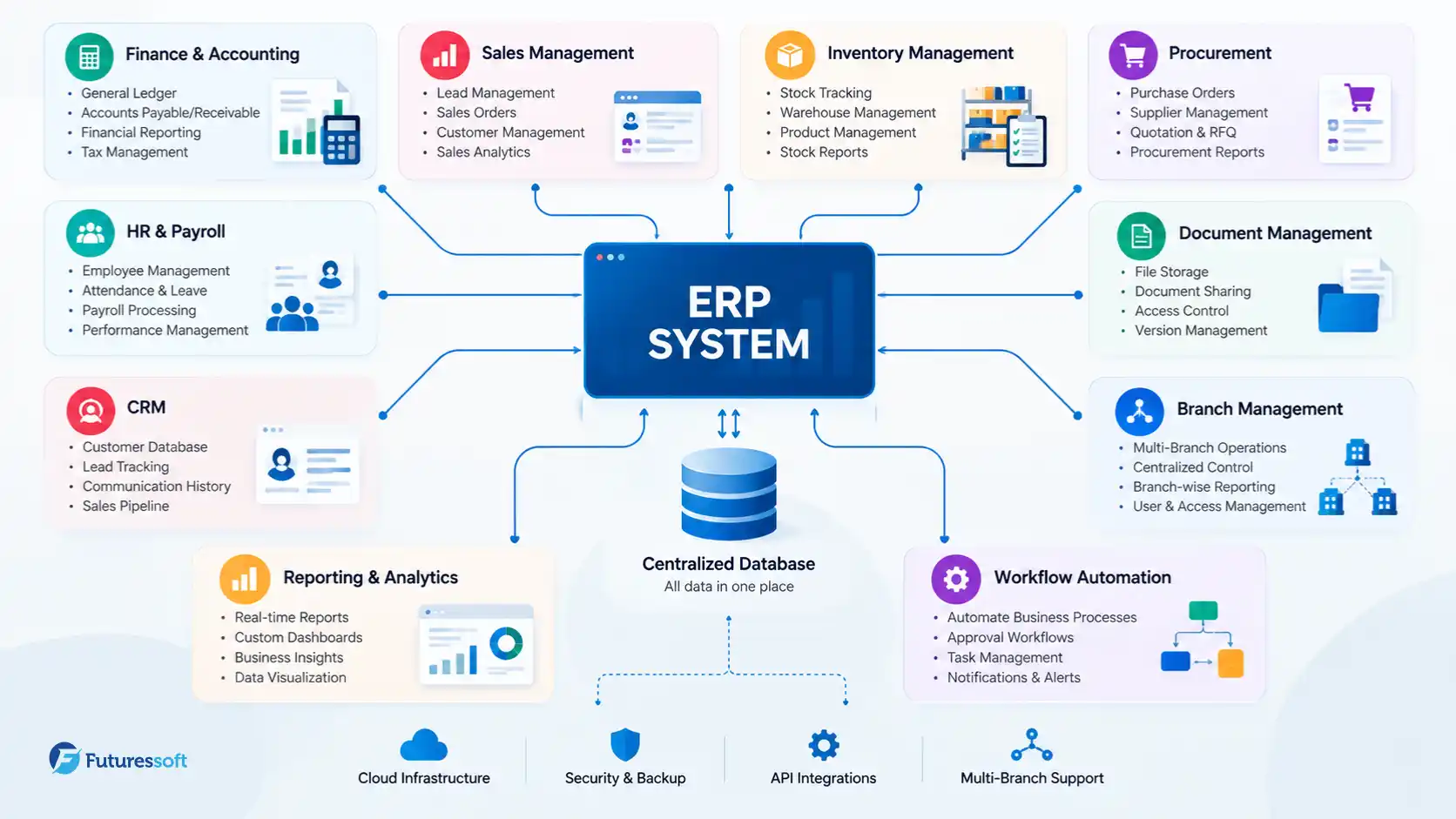
There's no universal ERP checklist the right module set depends on the business but most systems draw from the same core building blocks:
|
ERP Module |
What It Manages |
|
Finance & Accounting |
Accounts, expenses, invoices, financial reports |
|
Sales |
Leads, quotations, orders, customer records |
|
Inventory |
Stock levels, warehouses, transfers |
|
Procurement |
Suppliers, purchases, purchase orders |
|
HR & Payroll |
Employee records, attendance, payroll |
|
CRM |
Leads, customers, follow-ups |
|
Reporting |
Dashboards, KPIs, business reports |
|
Workflow Automation |
Approvals and repetitive processes |
|
Branch Management |
Multiple branches with centralized reporting |
|
User & Role Management |
Permissions and access control |
|
Document Management |
Business documents and records |
A well-scoped ERP project usually starts with three or four of these modules, typically finance, inventory, and sales and expands once the core workflow is stable. Trying to build every module on day one is one of the more common reasons ERP projects run over budget and over timeline.
What Makes ERP Software Different for Businesses in Nepal?
This is where a lot of generic, internationally-written ERP content falls short; it's written for a market with different accounting norms, different tax structures, and different infrastructure assumptions. For a business operating in Nepal, an ERP system generally needs to account for:
-
Local accounting workflows matching how Nepali businesses actually track expenses, ledgers, and reconciliation, not a generic Western chart of accounts
-
Tax and VAT/PAN reporting generating reports in the format required for local tax filing
-
Multi-branch operations common among trading, retail, and education businesses with locations across different cities
-
Local payment integrations connecting with the payment gateways and digital wallets businesses and customers already use in Nepal
-
SMS and notification integrations still a practical, reliable way to reach customers and staff alongside email
-
Bilingual or Nepali-language interfaces where staff or customers need it
-
Connectivity considerations planning for occasional low-bandwidth conditions rather than assuming constant high-speed connectivity
-
Local support and training someone who can train staff and answer questions in the same time zone, ideally in person
Any specific claim about current tax or regulatory requirements should be verified against the relevant government source before it's built into a system or published in writing rules change, and a build based on outdated compliance assumptions is a costly mistake to unwind later.
Custom ERP vs Off-the-Shelf ERP
This is usually the first real decision point, and it's worth taking seriously rather than defaulting to whichever option a salesperson pitched first.
|
Factor |
Ready-Made ERP |
Custom ERP |
|
Initial setup |
Usually faster |
Usually longer |
|
Custom workflows |
Limited to available configuration |
Designed around the actual business process |
|
Integrations |
Depends on the vendor's ecosystem |
Built around whatever systems you already use |
|
Scalability |
Depends on the product's limits |
Designed around your growth plans |
|
Ownership |
Product/vendor-dependent |
Full control over the codebase and data |
|
Maintenance |
Handled by the vendor |
Requires an ongoing development relationship |
|
Cost model |
Subscription or license fees |
Development cost + infrastructure + maintenance |
|
Best for |
Standardized, common processes |
Unique or complex workflows |
Neither option is universally better. A ready-made ERP product makes sense when your processes are fairly standard and you want to be operational quickly without a development budget. Custom ERP makes sense when your workflows don't fit a generic template, multi-branch operations with different rules per branch, an unusual approval chain, or integrations with systems a packaged product simply doesn't support. Many businesses in Nepal end up here precisely because local tax reporting, multi-branch logic, or existing legacy systems don't map cleanly onto an off-the-shelf product built for a different market.
How Much Does ERP Software Development Cost in Nepal?
There's no single honest number here, and any article that gives you one fixed price without asking about your business is guessing. What's more useful is understanding what actually drives ERP cost:
Number of modules
More modules mean more development time and more places for things to connect and go wrong during testing.
Number of users
User count affects licensing (for some components), role design, and how much load-testing the system needs.
Number of branches
Multi-branch logic separate stock per branch, centralized vs. local reporting adds real complexity beyond a single-location build.
Workflow complexity
A simple linear approval process is inexpensive to build. A workflow with conditional branches, multiple approval levels, and exceptions takes longer.
Integrations
Every external system you connect to a payment gateway, an accounting tool, an SMS provider adds its own development, testing, and maintenance surface.
Data migration
Moving years of existing records into a new system cleanly is frequently underestimated and can take as long as building a module from scratch.
Reporting and analytics
Basic reports are quick. Custom dashboards with real-time KPIs and drill-down views take more design and engineering time.
Mobile application requirements
A mobile companion app for sales staff, delivery tracking, or approvals-on-the-go is effectively a second product built alongside the core system.
Security requirements
Role-based access, encryption, and audit logging are standard, but the depth required scales with how sensitive the data is.
Hosting and infrastructure
Cloud hosting, backups, and server sizing all factor into both the setup cost and the ongoing monthly cost.
Ongoing maintenance
ERP is not a one-time purchase. Bug fixes, security patches, and feature requests continue well after launch.
To make this more concrete, most ERP projects fall into one of three broad tiers:
Basic ERP small teams, a handful of core modules (typically finance and inventory), limited users, straightforward workflows.
Mid-level ERP several departments, multiple modules, custom reporting, a handful of integrations, multiple user roles.
Enterprise ERP multiple branches, complex approval workflows, high user volume, extensive integrations, advanced analytics, and dedicated infrastructure.
The final cost depends on scope, not the number of screens in the interface. For a broader breakdown of how software project pricing works in Nepal generally timelines, team structure, and what drives cost across project types see Futuressoft's custom software development cost guide.
ERP Software Development & Implementation Process
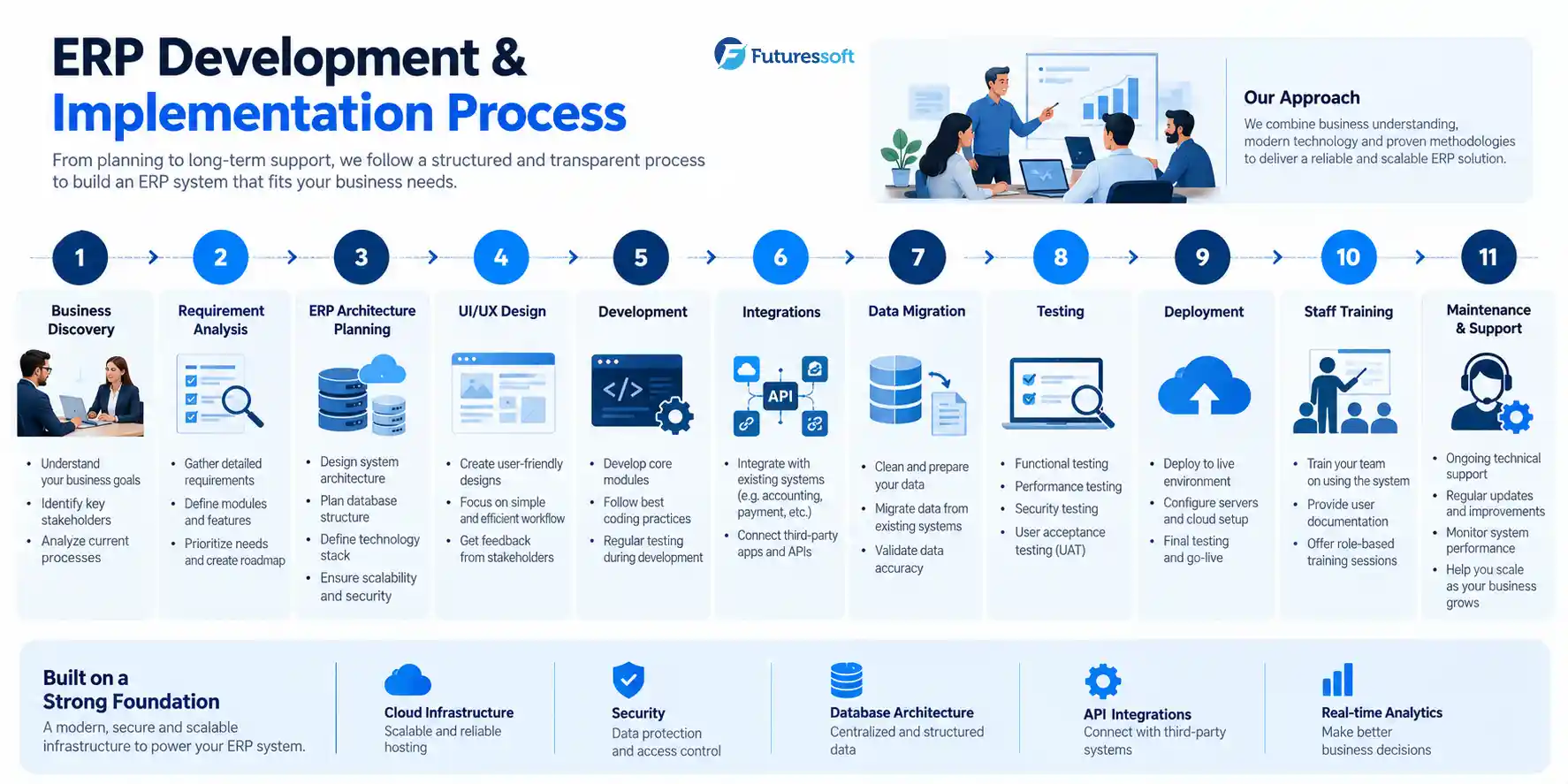
A properly run ERP project moves through a fairly consistent sequence, regardless of how big the system ends up being:
-
Business discovery understanding how the business actually operates today, not how the org chart says it should
-
Requirement analysis mapping departments, user roles, and process flows in detail
-
ERP architecture planning the database structure, module boundaries, and integration points
-
UI/UX design designing dashboards and day-to-day workflows around how staff will actually use the system
-
Development building modules in phases rather than all at once
-
Integration connecting payment gateways, accounting tools, SMS providers, email, and any existing systems
-
Data migration moving existing business records into the new system
-
Testing functional, security, performance, and user acceptance testing
-
Deployment moving the system into production
-
Training teaching staff how to actually use it, not just handing over login credentials
-
Maintenance ongoing security updates, bug fixes, monitoring, and improvements
How Long Does ERP Development Take in Nepal?
There's no honest single timeframe for this either; a system with three modules and one branch is a very different project from one with eight modules, five branches, and four integrations. As a general rule:
module count + integrations + workflow complexity + data migration + user count = timeline
A basic-tier system with a narrow scope can move relatively quickly. An enterprise-tier build with multiple branches, several integrations, and a full data migration takes meaningfully longer and rushing that timeline is usually where quality problems start. Planning conversations early in the process, before development begins, are the most reliable way to get a realistic estimate for your specific scope.
ERP Integrations Businesses Should Consider
An ERP system rarely operates in isolation. Common integration points include:
-
Accounting systems
-
Payment gateways and banking/payment APIs
-
Point-of-sale (POS) systems
-
SMS and email notification services
-
HR and biometric attendance systems
-
E-commerce platforms
-
CRM tools
-
Reporting and analytics platforms
-
Mobile applications
Each integration should be scoped and tested individually the more systems an ERP touches, the more places there are for something to break silently if it's not tested properly.
ERP Security Considerations
Business-critical data deserves security planning that goes beyond a login screen. A properly built ERP system should include:
-
Role-based access control
-
Strong authentication
-
Data encryption
-
Regular, tested backups
-
Audit logs for sensitive actions
-
Secure API endpoints
-
Least-privilege access by default
-
A disaster recovery plan
-
Ongoing monitoring
-
Secure deployment practices
This is the same foundation Futuressoft applies across its web application projects for a deeper look at how these principles apply to business-critical systems generally, see the web application development in Nepal.
7 Signs Your Business Needs ERP Software
If you're still deciding whether ERP is worth the investment, these are the signals worth paying attention to:
-
You're maintaining the same information in multiple spreadsheets
-
Different departments keep separate versions of the same data
-
Reports take hours or days to put together
-
Inventory numbers are frequently wrong or out of date
-
Staff re-enter the same data into more than one system
-
Managers can't see real-time information without asking someone to pull it
-
Manual approval processes are slowing down day-to-day operations
If two or three of these sound familiar, it's worth having a scoping conversation. If none of them do, ERP may be solving a problem you don't have yet and that's a fine answer too. For a broader look at when custom software in general, not just ERP, makes sense for a growing business, see signs your business needs custom software.
What We've Learned Building Business Systems
A few patterns show up consistently across ERP and business-system projects, regardless of industry:
- Requirements shift once people actually start using the first version. No amount of upfront planning replaces watching real staff use a real workflow for a week.
-
Integrations are usually harder than the interface. A clean dashboard is the easy part; getting a payment gateway, an accounting tool, and an SMS provider to all behave correctly together is where most of the real engineering time goes.
-
Permissions need to be planned early, not bolted on later. Retrofitting a role-based access system after launch is far more disruptive than designing it up front.
-
Reporting requirements should shape the database design not the other way around. Deciding what management needs to see before the schema is finalized saves a lot of rework.
-
Data migration is almost always underestimated. Years of inconsistent spreadsheets rarely map cleanly onto a new system's structure.
-
Mobile access becomes important sooner than expected. Even businesses that don't ask for a mobile app at the start usually want one within the first year.
-
Maintenance should be planned before launch, not after something breaks. A system with no maintenance plan degrades quietly until it fails visibly.
How to Choose an ERP Software Development Company in Nepal
Whichever company you're evaluating, these questions tend to separate a genuinely capable partner from one that's just good at sales:
- Do they take the time to understand your actual business workflow, or do they jump straight to a proposal?
-
Can they show real, verifiable past projects, not just claims?
-
Can they integrate with the systems you already use?
-
Who owns the source code and the data once the project is delivered?
-
How is security handled, concretely not just as a bullet point?
-
What happens after launch is there a support plan, or does the relationship end at deployment?
-
How is ongoing maintenance priced?
-
What happens when requirements change mid-project, because they usually do?
-
Can the system scale if the business grows or adds branches?
-
Is staff training included, or is it an extra line item?
Why Businesses Choose Futuressoft for Custom Software Development
Futuressoft works across custom software development, web applications, scalable backend systems, integrations, enterprise CMS, cloud and DevOps, and ongoing maintenance the same underlying capabilities an ERP project draws on, applied to Nepal's specific business context: local accounting practices, multi-branch operations, and the integrations businesses here actually rely on.
That foundation shows up in Futuressoft's case-study base across platforms like Ratopati, Ajakoartha, Prades Khabar, and Global Aawaj real, delivered systems built around real operational requirements rather than generic templates. For a closer look at the range of work behind those capabilities, see Futuressoft's case studies.
Planning an ERP system for your business? Start with a conversation about your actual workflows before locking in a technology stack. The right architecture follows from the process, not the other way around.
Frequently Asked Questions
What is ERP software?
ERP (Enterprise Resource Planning) software connects a business's core functions sales, inventory, accounting, HR, and reporting into one system that shares a single set of data instead of separate tools per department.
How much does ERP software cost in Nepal?
Cost depends on the number of modules, users, branches, integrations, and workflow complexity. Projects generally fall into basic, mid-level, and enterprise tiers rather than a single fixed price.
How much does custom ERP development cost?
Custom ERP costs more upfront than a ready-made product but is scoped around your specific processes rather than a generic template. The main cost drivers are the same: modules, integrations, branches, and data migration.
How long does ERP development take?
Timeline scales with scope module count, integrations, workflow complexity, and data migration volume all affect it. A narrow, single-branch system moves faster than a multi-branch, multi-integration build.
What modules should an ERP system have?
Most systems start with finance, inventory, and sales, then expand into procurement, HR/payroll, CRM, reporting, and branch management as the business grows into them.
Is custom ERP better than ready-made ERP?
Neither is universally better. Ready-made ERP suits standardized processes and faster setup. Custom ERP suits businesses with workflows, integrations, or multi-branch logic that a packaged product can't accommodate.
Can ERP integrate with existing software?
Yes accounting tools, payment gateways, POS systems, SMS providers, and CRM tools are common integration points, though each one needs to be scoped and tested individually.
Can ERP support multiple branches?
Yes, with branch management built into the architecture from the start this is one of the areas where retrofitting later is significantly more expensive than planning for it up front.
Does ERP work on mobile devices?
Most modern ERP systems include or support a mobile component, particularly for sales staff, delivery tracking, and approvals on the go.
Do businesses need ERP maintenance after launch?
Yes. Security patches, bug fixes, and feature updates continue well past launch; a maintenance plan should be part of the original project scope, not an afterthought.
Can Futuressoft build custom ERP software?
Yes Futuressoft builds custom ERP and business management systems scoped around your actual workflows, integrations, and branch structure. Share your project requirements to get a project-specific recommendation.
Related Insights