7 Signs Your Business Needs Custom Software
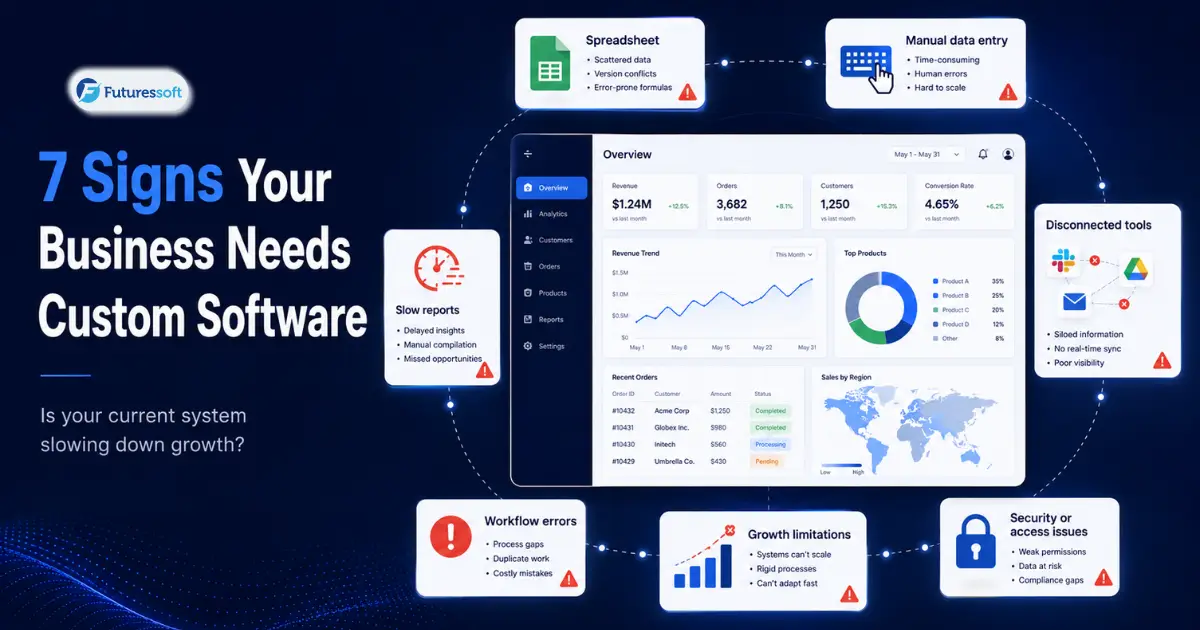
Most businesses don't set out to build custom software. They start with a spreadsheet, a free CRM trial, a couple of SaaS subscriptions, and a WhatsApp group that somehow becomes the unofficial project management system. And for a while, that's completely fine.
The problem shows up later — quietly, at first. A report that used to take an hour now takes a day. Someone re-types the same customer details into three different tools. An order slips through the cracks and nobody's quite sure whose job it was to catch it. None of these things, on their own, look like a "software problem." They look like a busy week.
But if you're noticing more busy weeks than normal ones, it might be worth asking a different question — not "are we growing?" but "are our tools still keeping up?"
Here are seven signs worth paying attention to.
What do we actually mean by "custom software"?
Before getting into the signs, it's worth being clear about what custom software is — and isn't.
Custom software is any application built specifically around how your business operates, rather than a generic tool that expects you to adapt to it. That could mean:
- An internal system for managing orders, jobs, or projects
-
A customer portal where clients can track requests or account activity
-
A CRM built around your actual sales process, not someone else's
-
An inventory or booking platform for your specific product or service
-
A reporting dashboard pulling from several existing systems
-
An approval workflow for finance, HR, or operations
-
A CMS built for how your editorial or content team actually works
It's not automatically "better" than off-the-shelf software — it's different. Off-the-shelf tools are designed to serve thousands of businesses at once, which means they're built around the average case. Custom software is built around your case. That distinction matters more as a business gets bigger and its processes get more specific.
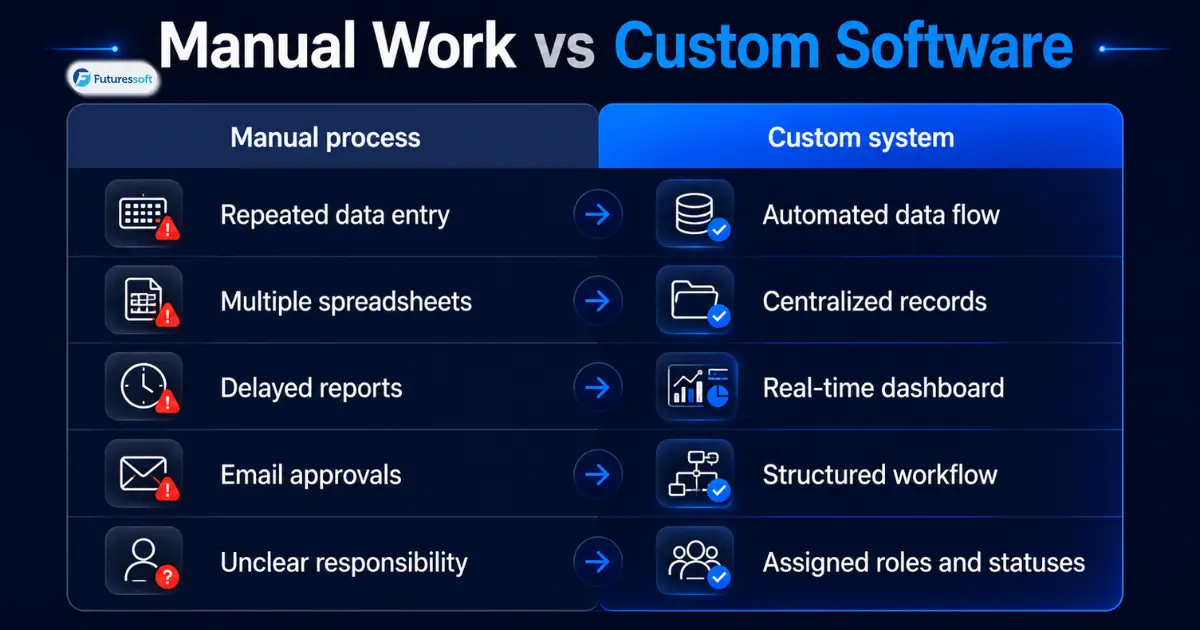
1. Your team runs the business through spreadsheets
Spreadsheets are genuinely useful. The warning sign isn't that your team uses them — it's when a spreadsheet quietly becomes the system of record for something that matters.
You'll usually see it in patterns like:
- Sales, finance, and operations each keeping their own version of "the customer list"
-
Someone manually updating order or project status because no other system tracks it
-
A file with a name like "Final_v3_updated_actual.xlsx" that everyone's afraid to touch
-
Numbers that don't match between departments because nobody's sure which sheet is current
The spreadsheet itself isn't the issue. The issue is what it's holding together. If a single file — maintained by one person, in one format, with no audit trail — is the thing standing between your business and total confusion, that's a fragile position to be in.
2. The same information gets typed in more than once
This one's easy to miss because it feels like normal work, not a system failure. A new customer's details go into the CRM. Then into the invoicing tool. Then into a spreadsheet for the delivery team. Then, maybe, into an email so someone else knows too.
Every one of those manual re-entries is a chance for a typo, a missed field, or outdated information sitting in one system while another has already moved on. It also just wastes time — time your team could spend on work that actually needs a person.
This is usually a sign that your tools aren't talking to each other. Sometimes that's solved with an API integration between existing platforms. Other times, especially when three or four systems all need to sync, a central application that becomes the single source of truth is the more durable fix.
3. Your software doesn't quite match how you actually work
Off-the-shelf tools are built for common situations — a typical approval chain, a typical sales pipeline, a typical content workflow. Most businesses don't run a textbook process, though, and small mismatches add up.
You'll know this is happening if:
- Employees skip steps the software requires because they don't apply
-
Important context lives in a "notes" field because there's nowhere else for it
-
A tool gets used for something it was never designed to do
-
The business quietly changes its process to fit the software, instead of the other way around
-
Real decisions still get made over email or WhatsApp because the "official" system can't handle them
None of this is anyone's fault — it's just what happens when a generic tool meets a specific business. The question worth asking is whether the workaround is a minor annoyance or something that's actually shaping how you operate.
4. Getting a straight answer out of your reports takes too long
When someone asks "how many orders are still open?" or "which clients haven't paid?", the honest answer shouldn't require three exports, a VLOOKUP, and a phone call to double-check.
Signs your reporting has become a liability rather than a tool:
- Reports need manual cleanup before every meeting
-
Two departments present two different totals for the same thing
-
Data has to be pulled from several systems and stitched together by hand
-
By the time a report is ready, it's already describing last week, not this one
-
Leadership has quietly stopped trusting the dashboard
This is one of the more expensive signs on this list, because slow or unreliable reporting doesn't just waste time — it delays decisions. A centralized data layer, a real-time dashboard, or role-specific reporting can often solve this without a full platform rebuild.
5. Growth is making things harder, not easier
A system that comfortably handled ten employees or a hundred customers doesn't always scale gracefully to ten times that. You'll notice it in small frictions at first:
- Pages or dashboards that used to be instant now lag
-
Adding a new branch, region, or product line means a separate manual process
-
You're hiring administrative staff faster than your actual business is growing
-
Your current vendor limits users, storage, or customization at a price point that stings
-
New features you need just aren't possible on the current platform
Growth should multiply your output, not your admin workload. If every new customer, employee, or location adds disproportionate operational overhead, the system — not the growth — is usually the bottleneck.
6. You're paying for a pile of tools that don't quite work together
It's common for a growing company to end up with separate tools for leads, support, tasks, invoicing, reporting, forms, and internal communication — often five or six subscriptions deep before anyone stops to count.
The number of tools isn't automatically a problem. What matters is whether they overlap, require duplicate data entry, disagree with each other, or still fail to support the workflows that actually matter to the business — while the monthly bill keeps climbing.
To be fair, the fix here isn't always "replace everything with one custom system." Sometimes it's integrating what you already have. Sometimes it's replacing just the one platform that's causing the most friction. A phased approach — starting with the biggest pain point — is usually more realistic than a full rebuild.
7. The same mistakes keep happening, and they're starting to cost you
Every business has occasional errors — that's normal. What's worth a closer look is when the same error keeps recurring: an invoice sent with the wrong amount, a follow-up that gets missed, a duplicate order, inventory that's wrong in the system but not on the shelf, an approval that slips through without sign-off.
When it keeps happening, it's rarely about an employee not being careful enough. More often, it means the process itself has no guardrails — no required fields, no validation, no clear ownership, no record of who did what and when. That's a structural gap, and structural gaps tend to need structural fixes: validation rules, defined user roles, access controls, approval chains, and an audit trail that shows what happened and why.
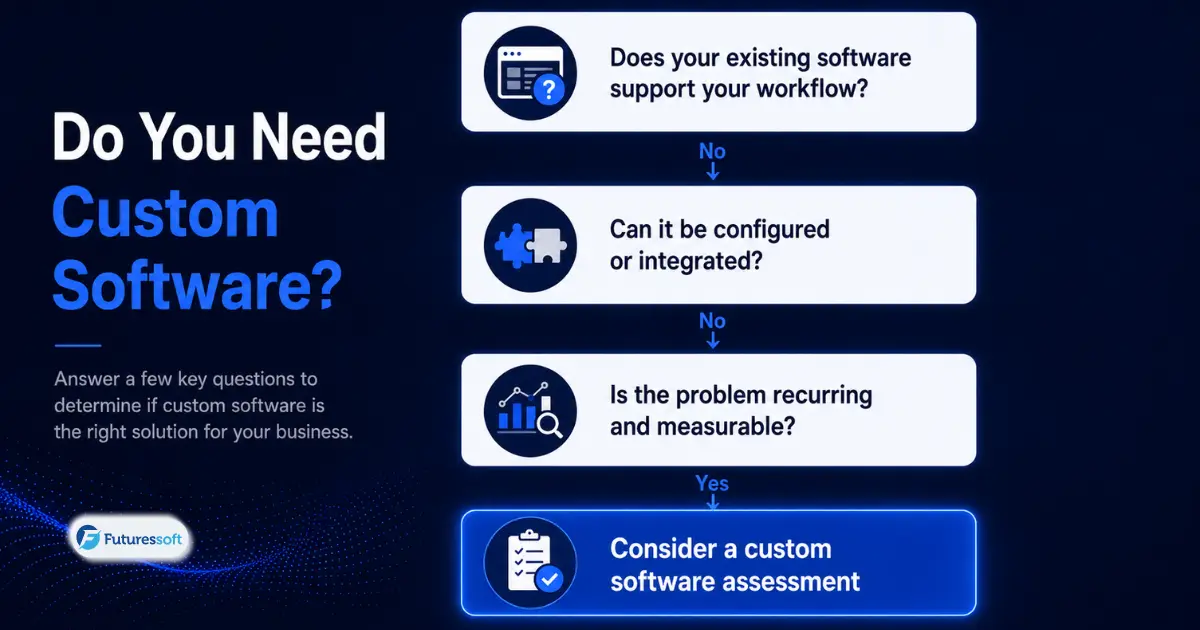
So, does every growing business need custom software?
No — and any article that tells you otherwise is trying to sell you something rather than help you.
Off-the-shelf software is probably still the right call if:
-
Your process is fairly standard for your industry
-
An existing platform already covers most of what you need
-
You're still validating a new idea or offer
-
The team and user volume are still small
-
Your process changes so often that building something fixed doesn't make sense yet
-
There's no one clearly responsible for owning a system internally
-
Honestly, the problem you're dealing with costs less than fixing it would
Custom software starts to make more sense when:
-
The workflow in question is actually part of your competitive advantage
-
The same problem is showing up across multiple departments
-
Manual work has a real, measurable cost — hours, errors, delays, lost revenue
-
Existing tools can't be configured or extended any further
-
Integration and a single view of your data have become genuinely important
-
Security, permissions, or compliance need tighter control than off-the-shelf allows
-
You need something you can keep building on for years, not months
A quick way to check where you stand
Before spending real time on this, it's worth doing a rough self-audit. Ask:
-
How many hours a week does your team spend on repeated manual work?
-
How often does the same piece of data get entered more than once?
-
What are you actually paying, across every tool, for software that half-works together?
-
How often do errors delay revenue or affect a customer directly?
-
How long does it take to get a report leadership actually trusts?
-
Could your current system handle twice the users or orders it has today?
-
Can you add a feature you need without switching platforms entirely?
-
Is there one person who holds most of the process knowledge in their head?
As a rough guide: if you're nodding along to two or fewer of these, start by improving or better integrating what you already have. Three or four, and it's probably worth a proper workflow and software review. Five or more, and it's a strong signal that a phased custom solution is worth seriously planning for.
Treat this as a gut check, not a scientific formula — the real answer comes from actually mapping your workflow.
Before you contact a software company, do this first
A good development partner won't start with "you need an ERP." They'll start by understanding the actual problem. You can get ahead of that conversation by doing some of the groundwork yourself:
Map the current workflow. Write down who does each step, what tool they use, and where things get delayed or go wrong.
Find the most expensive bottleneck. Not "we need better software" in general — something specific, like "order processing takes two days" or "reports need three people to prepare."
Sort features into must-have, should-have, and later. Almost every project gets bigger in scope than it needs to be at the start. This keeps it grounded.
Define what success actually looks like. "Cut report prep from two days to ten minutes" is something you can measure. "Improve efficiency" isn't.
Expect a discovery phase. A responsible project starts with requirements, workflow mapping, technical assessment, and scope — not straight into development. If a vendor skips that step, that's worth noticing.
How Futuressoft can help
We build custom software for businesses that have reached the point where spreadsheets, disconnected tools, or an outgrown platform are costing more than they're saving — enterprise applications, workflow automation, API integrations, custom web applications, and modernization of legacy systems, along with the cloud infrastructure and ongoing support to keep it running.
If you're weighing up whether your business is at that point, or whether integration and automation would solve most of it, that's exactly the kind of conversation worth having early — before any code gets written. It's also worth reading up on the difference between a website and a web application if you're still working out what kind of solution actually fits.
Not sure whether you need custom software? We can help you review your current workflow, identify where the gaps actually are, and figure out whether integration, modernization, automation, or a custom platform is the right next step. Schedule a discovery call.
The real question isn't whether custom software is more advanced than what you're using now. It's simpler than that: are your current tools still supporting the business, or has your team quietly started supporting the tools?
Related Insights