Website vs Web App: Key Differences
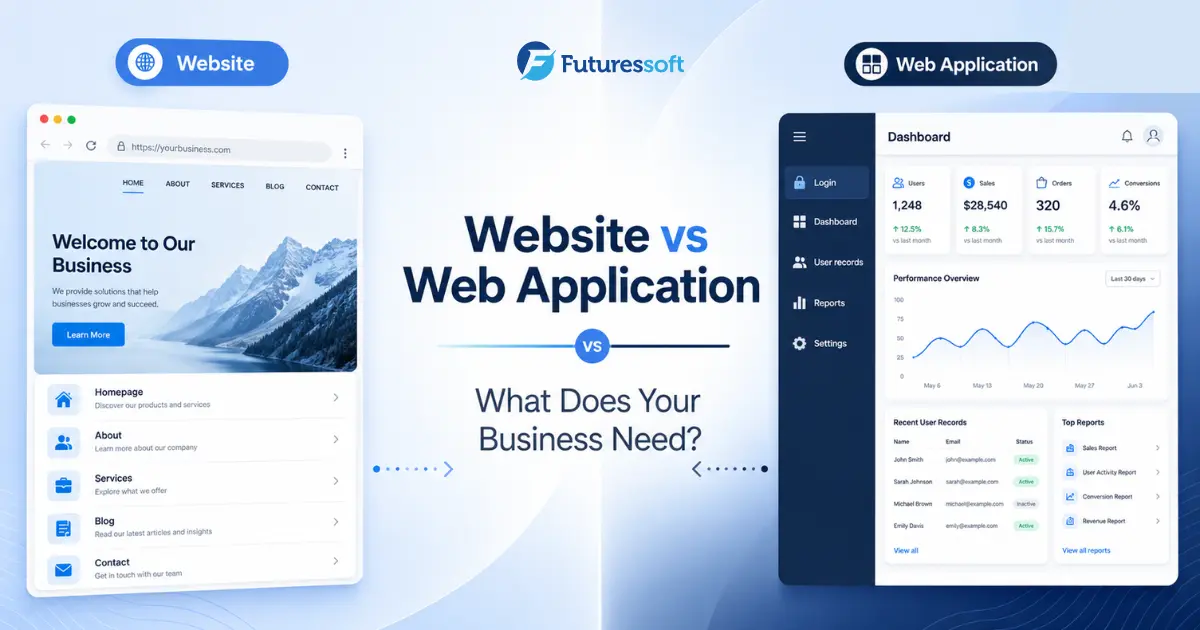
You know you need an online presence. Maybe it's for your customers, your internal team, or both. But the moment you sit down to plan the project, a basic question comes up: should this be a website, or should it be a web application?
Both run in a browser. Both can look polished and modern. But they are built to do different jobs, and confusing the two is one of the most common (and costly) mistakes businesses make before starting a development project.
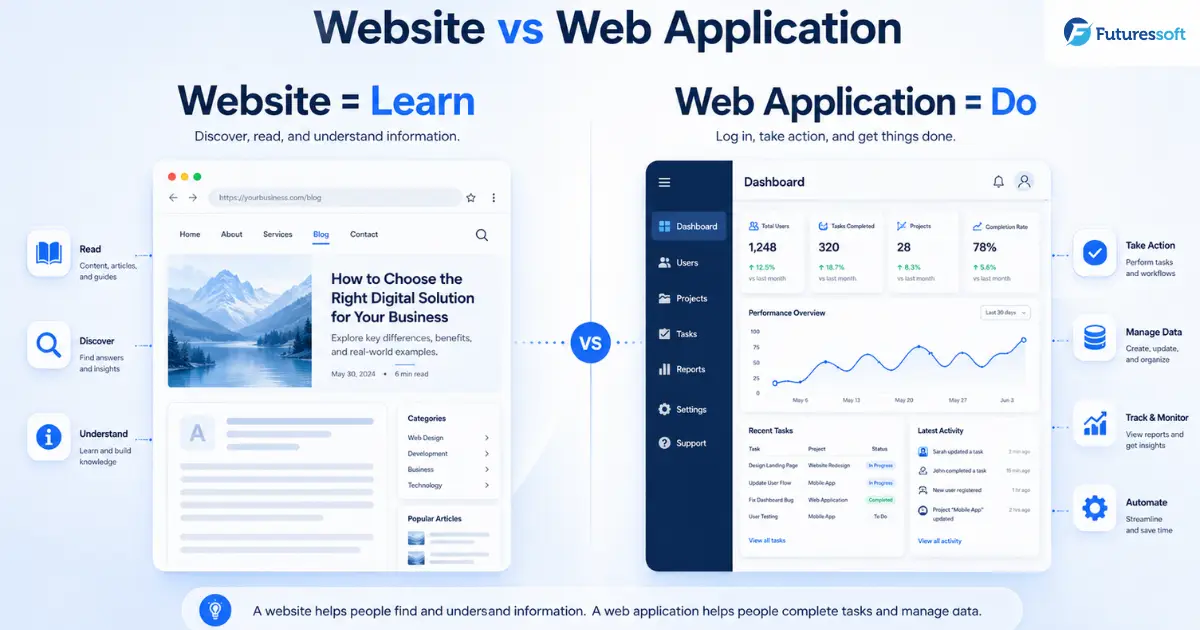
Here's the simplest way to think about it: a website mainly helps people find and understand information. A web application helps people complete tasks, manage data, or use a digital service. That distinction is easy to grasp, even though in practice the two often overlap — a company might have public marketing pages as its website and a private customer dashboard as its web application, all part of the same platform.
Let's break both down properly.
What Is a Website?
A website is a collection of web pages primarily designed to present information to visitors. People come to a website to:
- Read information about a company or topic
-
View products or services
-
Browse images or videos
-
Read blogs or news
-
Submit an inquiry
-
Find contact details
Common examples: company websites, portfolio websites, news or magazine websites, restaurant websites, travel websites, school information websites, corporate websites, and product catalogues.
One thing worth clearing up: a website isn't automatically "static." Most modern websites run on a CMS, get updated regularly, and may include search, forms, or even ecommerce features. The real distinction isn't about how often content changes — it's that a website's primary purpose is usually presentation and discovery. Websites also benefit from open web distribution: they can be visited through a URL, shared freely, and indexed by search engines, which makes them the backbone of most SEO and lead-generation strategies.
What Is a Web Application?
A web application is interactive software that runs through a browser and allows users to perform tasks, manage information, or receive personalized results. Typical actions inside a web application include:
- Signing into an account
-
Managing orders
-
Updating customer records
-
Booking appointments
-
Creating reports
-
Tracking inventory
-
Processing approvals
-
Uploading files
-
Managing subscriptions
-
Using a private dashboard
Common examples: online banking dashboards, CRM systems, school management systems, employee management systems, inventory systems, booking platforms, project management platforms, ecommerce seller dashboards, newsroom CMS backends, and SaaS platforms.
A web application typically involves user accounts, backend processing, authentication, and data stored in a database — and the experience is usually different for every logged-in user.
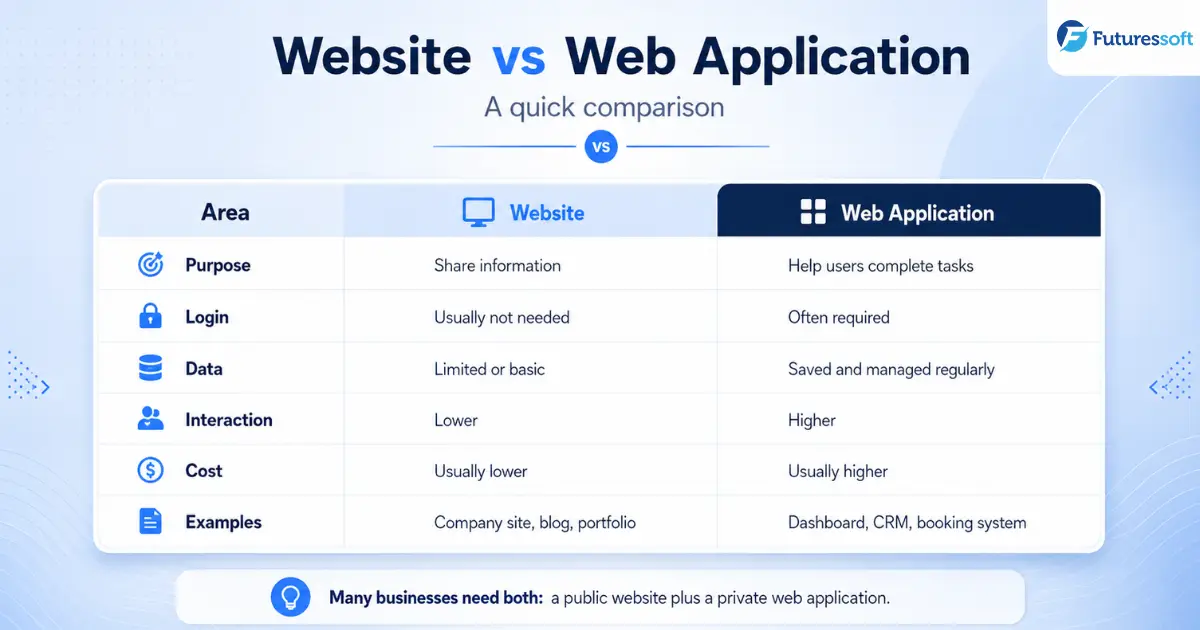
Website vs Web Application at a Glance
|
Area |
Website |
Web Application |
|
Main purpose |
Share information |
Help users complete tasks |
|
User interaction |
Usually limited |
Usually high |
|
Login |
Often unnecessary |
Commonly required |
|
Personalized data |
Limited |
Common |
|
Database use |
Optional or moderate |
Usually essential |
|
User roles |
Rare or simple |
Often multiple roles |
|
Examples |
Company site, blog, portfolio |
CRM, dashboard, booking system |
|
Development complexity |
Usually lower |
Usually higher |
|
Testing requirements |
Moderate |
More extensive |
|
Maintenance |
Content and technical updates |
Continuous product and system support |
|
SEO importance |
Usually very high |
Important mainly for public-facing pages |
|
Security requirements |
Standard website security |
Strong access and data security |
These categories can overlap. An ecommerce platform, for instance, usually includes public website pages, customer accounts, payment processing, and an administrative web application all working together — so it's rarely a clean either/or choice.
The Simplest Way to Understand the Difference
If you remember nothing else from this article, remember this: a website helps users learn. A web application helps users do.
A few real-world comparisons make it click:
- A hospital website explains services and lists doctors. A hospital web application lets patients book appointments and view their reports.
-
A school website shares notices and admission information. A school web application manages attendance, fees, and student records.
-
A real-estate website displays available properties. A real-estate web application manages leads, agents, and property inquiries behind the scenes.
Website and Web Application Examples by Industry
Media companies: A website publishes news, articles, photos, and videos to the public. A web application is what editors, reporters, and administrators use to draft, review, schedule, and publish that content. This is exactly the kind of system Futuressoft builds for enterprise CMS development for media companies — high-performance publishing backends built for newsrooms and content-heavy organizations.
Schools and colleges: The website displays courses, notices, facilities, and admission details. The web application manages students, attendance, fees, examinations, and parent access.
Ecommerce businesses: The website displays products and promotional content. The web application handles accounts, orders, payments, inventory, and seller management.
Travel companies: The website shows destinations and tour packages. The web application manages bookings, availability, payments, and customer records.
Corporate organizations: The website introduces the company and its services. The web application supports CRM, task tracking, reports, approvals, and internal workflows.
When Does Your Business Need a Website?
A website is the right starting point when your main goal is to:
- Establish an online presence
-
Explain your services clearly
-
Build trust with potential customers
-
Display a portfolio of work
-
Generate inquiries
-
Publish blogs or news
-
Improve search visibility
-
Share contact details
-
Promote a local business
-
Present products without complicated workflows
In short: start with a website when your main goal is to help customers discover, understand, and contact your business.
When Does Your Business Need a Web Application?
A web application makes sense when your business needs users to:
- Create accounts
-
Access personalized information
-
Complete transactions
-
Manage records
-
Track progress
-
Collaborate with others
-
Generate reports
-
Upload or edit information
-
Automate repeated work
-
Use dashboards
-
Work with different permission levels
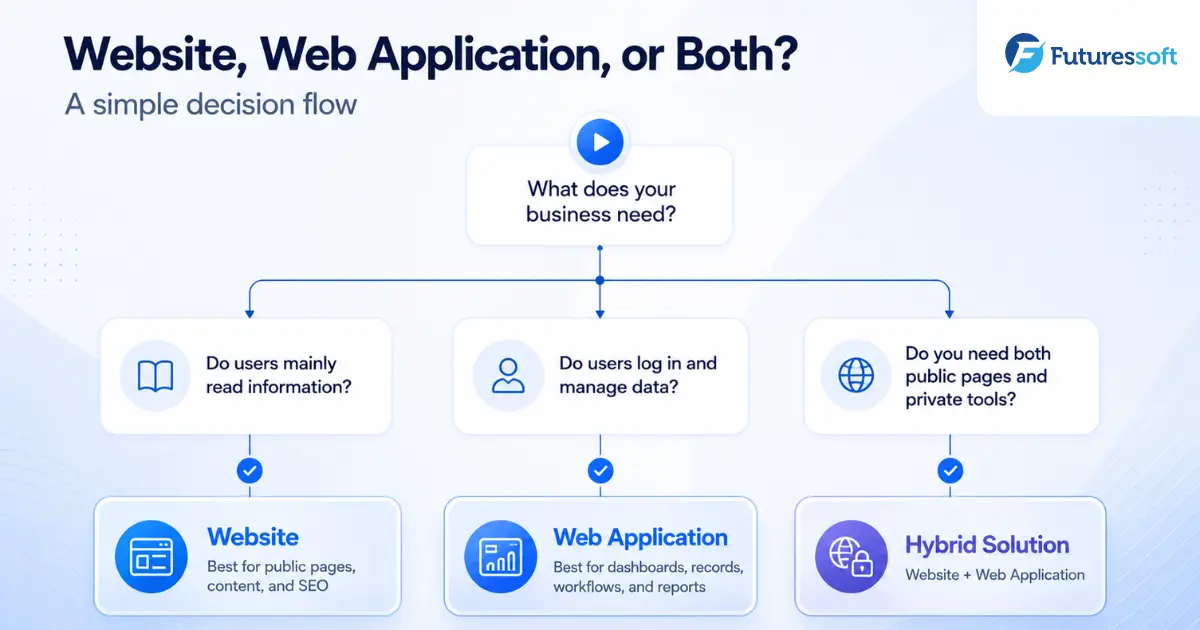
The decision rule is simple: when users need to sign in, perform ongoing work, and return to saved information, the project is likely a web application.
Can a Business Need Both?
Very often, yes — and this is usually the most realistic answer rather than forcing a choice between the two. A typical hybrid structure looks like this:
Public website
├── Homepage
├── Services
├── About
├── Blog
├── Case studies
└── Contact
Web application
├── User login
├── Customer dashboard
├── Staff dashboard
├── Reports
├── Payments
└── Administration
A business might use a public website for SEO and lead generation, a customer portal for its users, an internal dashboard for staff, and a CMS for administrators — all under one connected platform.
What About Progressive Web Applications?
A Progressive Web Application (PWA) is built with web technologies but can offer app-like features such as installation, offline support, background updates, and notifications — combining the reach of the open web with capabilities normally associated with native apps.
That said, a PWA isn't automatically the right solution for every project. Browser support, offline requirements, notifications, device features, and your actual business goals should all be evaluated before deciding whether to build one — it's a delivery method, not a category on its own.
Website vs Web Application Cost
Rather than quoting fixed numbers (which quickly go out of date and rarely fit two different businesses), it's more useful to understand what actually drives cost on each side.
Website cost depends on:
- Number of pages
-
Custom design requirements
-
CMS requirements
-
Content and language versions
-
Ecommerce features
-
SEO requirements
-
Third-party integrations
Web application cost depends on:
- Number of user roles
-
Features and workflows
-
Database complexity
-
Dashboard requirements
-
Payment integration
-
Real-time functionality
-
Security requirements
-
APIs and third-party systems
-
Testing requirements
-
Hosting and scalability
-
Long-term maintenance
As a general rule, a web application requires a larger investment than a website because it involves business logic, databases, user permissions, security, testing, and ongoing product maintenance — not just design and content.
Which One Is Easier to Maintain?
Website maintenance usually includes content updates, plugin or framework updates, security monitoring, backups, speed optimization, and SEO checks.
Web application maintenance usually includes bug fixing, database monitoring, server and cloud management, security patches, feature improvements, performance monitoring, user support, compatibility testing, and scaling infrastructure.
This is where cloud and DevOps services matter — a web application isn't a one-time build, it's a product that needs continuous monitoring and improvement long after launch.
How to Choose the Right Option
Choose a website when:
- The content is mostly public
-
Most visitors see similar information
-
Search visibility is a major goal
-
The main conversion is a call, message, or inquiry
-
Complex accounts and workflows aren't needed
Choose a web application when:
- Users need accounts
-
Different users see different information
-
Data must be saved and updated over time
-
The system supports a business process
-
Staff or customers require dashboards
-
Automation is an important objective
Consider both when:
- You need public marketing pages and private functionality
-
You want SEO traffic alongside a customer portal
-
Your company needs both customer-facing and internal systems
Questions to Ask Before Starting Development
Before writing a single line of code, it's worth answering:
- Who will use the platform?
-
What should each user be able to do?
-
Does the user need an account?
-
What information must the system store?
-
Are different user roles required?
-
Does the system need payments or third-party integrations?
-
Is search-engine visibility important?
-
What manual work should be automated?
-
How many users or visitors are expected?
-
Will the platform require ongoing feature development?
These are the same questions Futuressoft works through with clients during discovery, before moving into development, quality assurance, and deployment.
Final Thoughts
A website and a web application are both accessed through a browser, but they solve different problems. A website is usually designed to communicate information, attract visitors, and generate inquiries. A web application is designed to help users perform tasks, manage data, and complete business processes.
Some businesses need only a professional website. Others need a custom web application. Many growing companies eventually need both.
The right decision should be based on your users, your business workflow, your required features, and your long-term goals — not just on what the platform is called.
Not sure whether your project needs a website, web application, or both?
Futuressoft can help you define the right features, user flow, architecture, and development plan for your business — from custom web application development to enterprise CMS development and everything in between.
Related Insights